Google Business Profile Photos: What to Add and How

Good photos on your Google Business Profile are real, well-lit pictures of your premises, your work and your team, saved as JPG or PNG between 10 KB and 5 MB and ideally 720 x 720 pixels. Upload them to a verified profile and keep adding fresh ones. For a trade business, that means your van, your finished jobs and the people who turn up at the door. Below is what to upload, the technical rules, the upload steps and the fixes when a photo goes missing. If you would rather not manage it yourself, our Google Business Profile service is built for UK trades.
TL;DR
- Photos must be JPG or PNG, between 10 KB and 5 MB. Google recommends 720 x 720 pixels and sets a minimum of 250 x 250 pixels.
- Use sharp, well-lit pictures that show reality. Google says to avoid heavy filters, significant alterations and AI-made images.
- Add a logo, a cover photo and a spread of business photos: exterior, interior, at-work, product and team shots.
- Photos only show once the profile is verified. After upload they can sit as Pending for 24 to 48 hours.
- The cover photo is a recommendation to Google, not a guarantee of what shows first.
Table of Contents
- Why photos matter on a trade profile
- The three kinds of photo on your profile
- Size and format: the rules in one place
- Which photos a trade business should add
- How to add, replace or remove photos
- Why a photo might be rejected or not appear
- Keeping photos fresh without it taking over your week
- A note on privacy and your home address
- Our view on photos
- Let us handle the profile
- FAQ
- Sources
Why photos matter on a trade profile
When someone searches for a plumber, roofer or electrician near them, your profile appears with a handful of images next to your name, rating and phone number. Those images are often the first evidence a stranger sees that you are a real, local business. A van with your name on it, a tidy finished job and a smiling team member answer the question “who is this?” before the customer reads a single review.
No one can promise that photos will lift your position in the results, and Google does not tie the number of photos to ranking. What photos do reliably is make your listing look active and trustworthy to the person deciding whether to ring you. That is reason enough to get them right.
If you are still setting up the basics, start with verifying your profile and listing your services, because photos do not show on Google until the profile is verified.
The three kinds of photo on your profile
Google’s help page describes three photo types: the logo, the cover photo and your business photos.
Logo
Your logo appears as the small identifying image next to your business name. Google highlights it once the profile has basic information such as a phone number and opening hours. If your logo is missing, complete those details first. A square version works best, because the recommended size for photos is square (720 x 720 pixels).
Cover photo
The cover photo is the image you choose to best represent the business at the top of the profile. It does not always appear first. Google treats your choice as a signal, and what it actually displays can depend on factors such as quality, how people interact with the image and how relevant it is to the business. In practice, choose a cover that is a clear, bright image of your work or your branded van, and do not be surprised if Google rotates in another image.
Business photos
Everything else sits here: the exterior, the interior, your work in progress, finished jobs, tools and the team. This is where most trade businesses can do the most with the least effort, because every job you complete is a possible photo.
Size and format: the rules in one place
People search for “GMB photo size” because a rejected upload is annoying. Google’s own photo tips page sets these rules:
| Requirement | What Google says |
|---|---|
| File type | JPG or PNG |
| File size | Between 10 KB and 5 MB |
| Recommended resolution | 720 pixels tall by 720 pixels wide |
| Minimum resolution | 250 pixels by 250 pixels |
| Quality | In focus and well lit |
| Editing | No significant alterations, no excessive filters or AI. The image should represent reality |
Three practical points follow from this.
- A modern phone camera is more than enough. A phone photo is far larger than 720 x 720 pixels. If a file is over 5 MB, shrink it before uploading rather than cropping the subject out.
- Square-friendly framing helps. Keep the subject in the middle of the frame so a square crop does not cut off the key part of the job.
- Skip the extras. Do not add borders, text overlays or collages, and do not use stock images. They are exactly the kind of thing that makes a profile look less genuine.
Because the minimum is only 250 x 250 pixels, a tiny file might technically pass but still look blurry on a big screen. Aim for the recommended size or larger.
Which photos a trade business should add
Google’s business-specific photo tips suggest at least three exterior photos, taken from different approach directions and at different times of day. They also suggest at least three each of interior, product, at-work and team photos. Not every trade needs every category, so here is how it translates.
Branded vehicle and premises
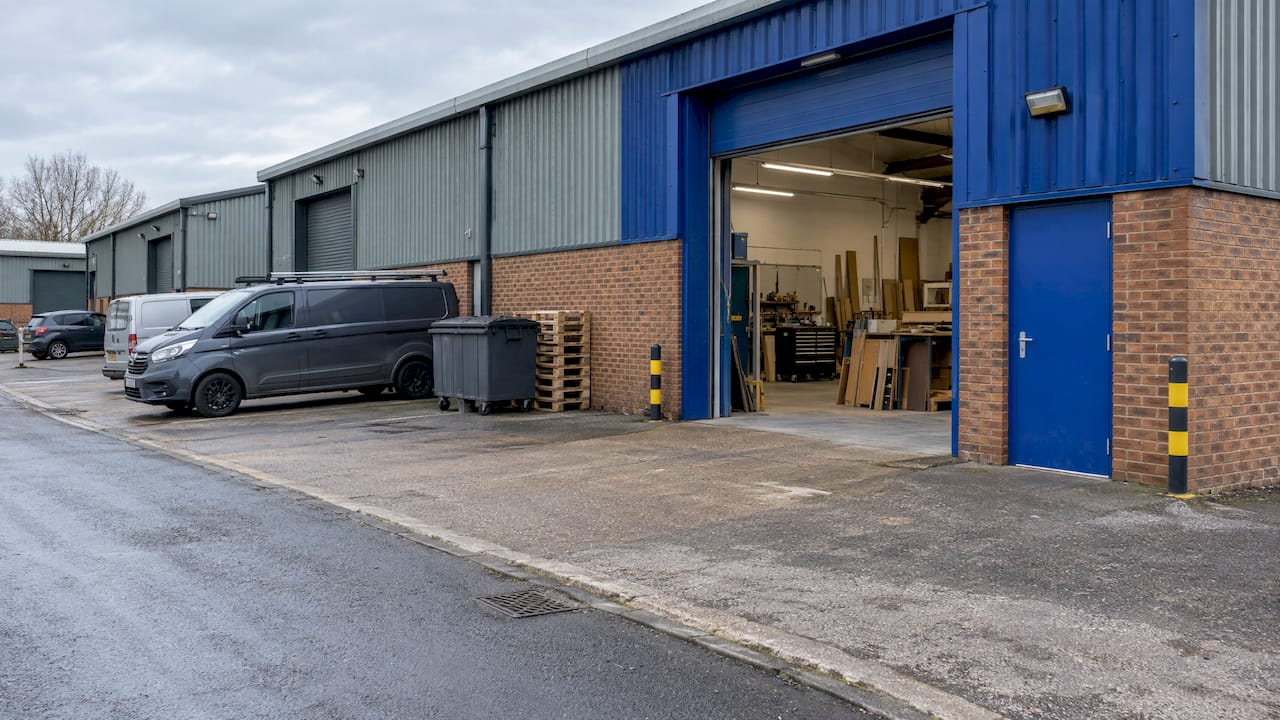
If you work from a workshop, unit or yard, photograph it from the road and from the direction customers arrive. Take one in daylight and one at a different time of day. If you are mobile, your van is your shopfront: a clear picture of the livery, with the phone number readable, works hard. Consistent vehicle and signage design also helps people recognise you across the profile and the street, which is where brand identity for vans, signage and print comes in.
Work in progress and finished jobs
These are your “at work” photos and the ones customers care about most. Aim for three or more per service you want to be found for. A few examples:
- A roofer: a stripped roof, then the same roof finished, shot from the same spot.
- An electrician: a tidy consumer unit, labelled and clean.
- A builder: an extension at first fix and after plastering.
- A landscaper: a patio from the doorway on the day you finish.
Shoot in daylight where you can, keep the frame steady and clear of clutter. If a customer’s house number, car registration or face is visible, ask permission or crop it out before uploading.
Your team
Customers let you into their homes. A friendly, genuine picture of the person who will arrive removes some of the hesitation. Three or more team shots, in work clothes with your branding visible, is a sensible target.
Products and tools
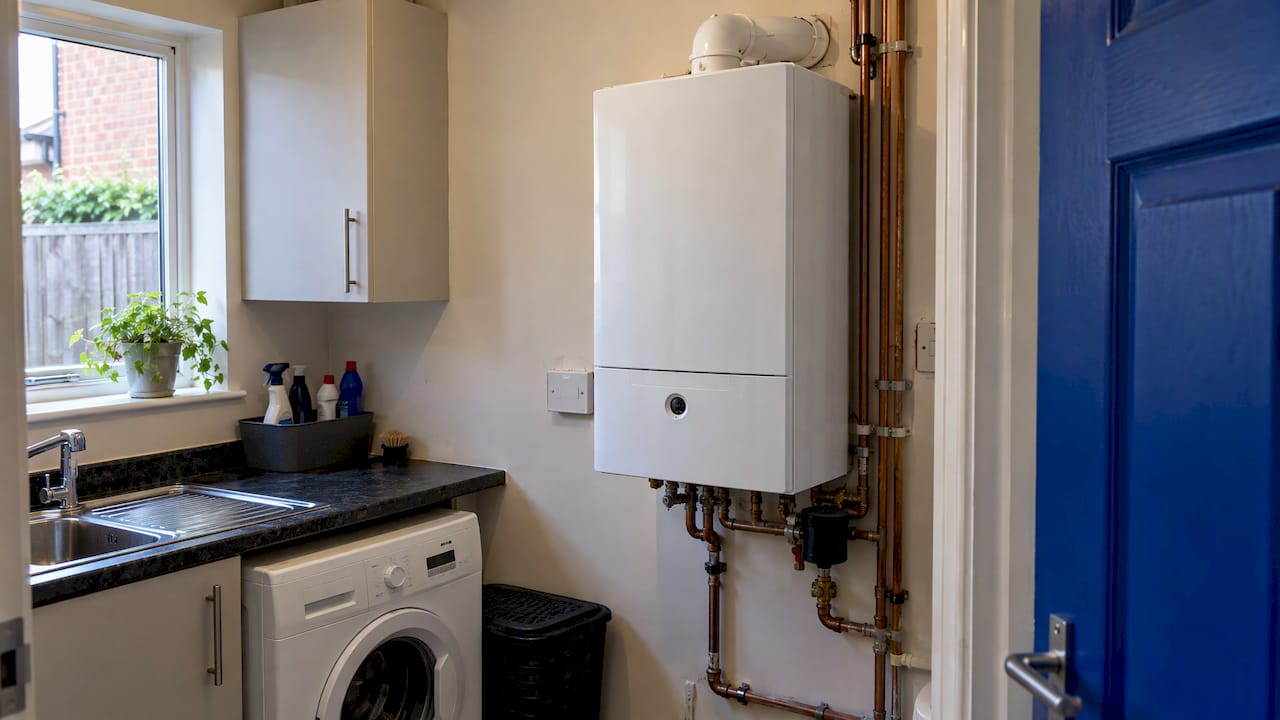
If you fit boilers, windows, kitchens or similar, product photos show what you install. Photograph the actual item in an actual setting rather than using a manufacturer’s image.
A simple shot list
For a new profile, a first batch might be:
- Logo (square)
- Cover photo: the van or your best finished job
- Three exterior or vehicle photos
- Three at-work photos
- Three finished-job photos
- Three team photos
- Any interior or product photos that apply
That is around 15 images and an afternoon’s work, and after that it is a habit: one or two photos from each job.
On the writing side, photos sit alongside posts and services. Our guide to Google Business Profile posts for UK trades shows how to pair a job photo with a short update.
How to add, replace or remove photos
Google’s help page for managing photos gives the steps on a computer.
- Search for your business name and city on Google Search or Maps while signed in to the account that manages the profile.
- Click Photos, then Add photos, and select the image. You can drag and drop several at once.
- To set a cover, choose Add a cover photo, or Change cover to replace it. For the logo, choose Add a logo or Change logo.
- To remove a photo you uploaded, select it, click Delete and confirm.
Where it goes wrong:
- Uploading before verification. Photos and videos only show on Google once the profile is verified.
- Duplicate listings. If photos land on the wrong profile, check whether a second listing exists for the same business.
- Photos you did not upload. Customers can add photos too. You can only delete your own, so a weak cover may be replaced by a customer image. Adding better, newer photos of your own is the practical answer.
If you manage more than one site, Google says businesses with 10 or more locations can bulk upload photos using a spreadsheet. Most trades will never need that.
Why a photo might be rejected or not appear
Google’s help page explains that an upload can have one of three statuses: Pending, Not approved because of a policy violation, or Live. A photo can take 24 to 48 hours to appear, so wait before re-uploading.
If a photo is Not approved, check it against the list below.
- Is it blurry, dark or pixelated? Retake it in daylight.
- Does it include heavy filters, added text, borders or a collage? Use the plain original.
- Is it a stock image or something you do not own? Replace it with your own photo.
- Is it outside 10 KB to 5 MB, or not JPG or PNG? Convert or resize it.
- Does it show something unrelated to the business? Remove it.
If an acceptable photo still does not show, Google has added a route inside the profile appeals flow. Search Engine Roundtable reported a “Fix photo that doesn’t show” option, where you select your profile and submit a support request. Google has not always been clear about why photos are rejected, so a resubmission with a clean, original image is often quicker than arguing.
Keeping photos fresh without it taking over your week
The common pattern with trade profiles is a burst of effort at setup and then nothing for a year. A better routine is small and tied to the work.
- Take two photos at the end of every job, before you pack the van: one wide, one close.
- Once a week, upload the best of them with a short caption in your head about the service shown.
- Once a quarter, look at your profile on your phone as a customer would, and replace anything dated or dull.
For a wider view of how photos sit among the other tasks, our five quick actions for UK trades and the 90 day profile audit set out a sensible order. Photos also support local visibility alongside reviews and accurate details, as covered in our guide to ranking in Google Maps and getting more Google reviews.
If you want to understand the wider craft behind local visibility, these local SEO guides explain how profiles, content and search engines fit together, including photo habits for professional services.
A note on privacy and your home address
Many Wiltshire and Corsham tradespeople work from home. Exterior photos of your house are not necessary, and if you hide your address on the profile you will not want them. Use your van, your work and your team instead. Our guide on hiding your address on Google Business Profile explains the options.
Our view on photos
We build websites and manage Google Business Profiles for trades, so we see the same gap again and again: a good business with a profile that looks like nobody is home.
The fix is rarely clever. It is genuine pictures of real work, taken as part of the job, uploaded steadily and matched to the same look as your van, your signage and your website. When the profile, the site and the vehicle all look like the same business, customers trust it faster.
The catch for most owners is time. You are on a roof or under a sink, not sorting images. That is why we offer monthly management for profiles and websites, so the routine happens without you carrying it. We can’t promise any particular result from photos, but we can promise a profile that is kept current and looks like the business you run.
Trey
Let us handle the profile
We offer Google Business Profile audits and management for UK trade businesses, with monthly management listed from £20 per month. If you also need a website that sends enquiries to your phone, we build trade websites in 10 to 14 days, with plans on our pricing page starting with Shopfront at £39 per month plus a £299 one-off setup. You can see how our Google Business Profile service works or get started.
We also design brand identity for vans, signage and print, so the pictures on your profile match what customers see on the road.
FAQ
What size should Google Business Profile photos be?
Google recommends 720 pixels by 720 pixels, with a minimum of 250 by 250 pixels. Files must be JPG or PNG and between 10 KB and 5 MB. A normal phone photo meets these rules, though you may need to shrink a very large file.
How many photos should I add?
Google does not set a maximum, and its tips suggest at least three each of exterior, interior, product, at-work and team photos where they apply. For a trade business, a first batch of about 15 real photos is a practical start, then one or two after each job.
Why is my photo not showing?
The profile must be verified first. After that, a photo may be Pending for 24 to 48 hours, and a Not approved status means it broke a policy, often because of poor quality, edits or stock images. Retake it plainly and upload again, or use the photo support option in the appeals flow.
Can I choose which photo shows first?
You can set a cover photo and a logo, but Google treats the cover as your choice rather than an instruction. It can show other images first, so keep every photo on the profile one you are happy to be seen.
Sources
- Tips for business-specific photos on your Business Profile (Google)
- Manage your Business Profile photos and videos (Google)
- Google Business Profiles New Fix Photo That Doesn’t Show (Search Engine Roundtable)